Toyota Corolla Immobilizer
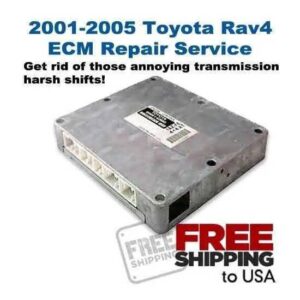
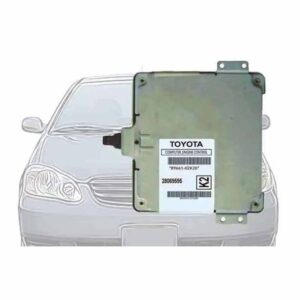
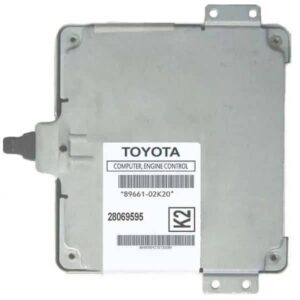
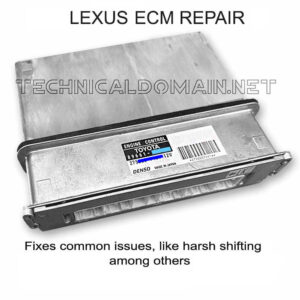
This article is a companion to the Toyota Corolla Immobilizer Reset Service we offer for the 2005-2007 Toyota Corolla, but it may also help if you own the same model and recently replaced the ECM with a used or recycled one, and your car won’t start.
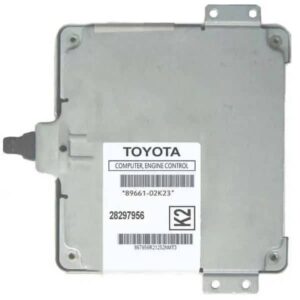
When you replace the ECM on these Corolla models, and the replacement ECM isn’t brand new or at least hasn’t been reprogrammed, the engine won’t start because the used part still has the donor car’s old key codes stored in its memory. Those codes will not match your keys and will cause a no-start situation.
Identifying the situation
Please note that with “no-start“, I mean that it cranks ok (the starter motor runs), but the engine does not start. If, instead, the starter motor doesn’t run either, the problem isn’t the immobilizer and could be an aftermarket alarm system that comes with many of these Corollas. The rule is: an immobilizer problem will cut the injection and/or ignition, but will let the starter motor crank. A problem with the anti-theft security system (alarm) will cut the starter too. If the problem seems to be the alarm, we provide instructions for that situation under the heading “The Alarm System” further below in this article.
Your car may include one or both of the following:
- Immobilizer system (factory installed): Disables injection and/or ignition by internal means (ECM)
- Alarm / Anti-theft system (aftermarket installed): Disables the starter. May disable injection and/or ignition by external means (Wiring).
What to do (immobilizer)
Ok, the ECM was replaced, and the car won’t start? We have two possible solutions here. You may either: (1) perform an immobilizer synchronization (sync from now on) between the replacement ECM and the immobilizer system of your Corolla, or (2) if that does not solve the problem, you may use our Corolla immobilizer reprogram service to reprogram the immobilizer of the replacement ECM.
The first solution above (sync process) may fail to do the trick if (1) the memory chip in the ECM where the key codes are stored is full (it has a limit on how many key codes can be registered), (2) the memory chip is defective or damaged, or (3) the ECM is damaged.
The good news is that the first solution (the sync process) is free, and it solves the problem most of the time. Even when it sounds kinda complicated, it is a very easy procedure, and you can do it yourself with just a bare paper clip. It is explained in detail below.
Interested in the full wiring diagram of the ECU connections of the 2005-2007 Toyota Corolla?
(ALWAYS check your SPAM folder in case that you don't see the download in your inbox.)
Your information is safe with us. We take privacy seriously and DO NOT sell or share your information in any way.
Your data will only be used for sending the requested document(s) and for emailing any related information or material that we might offer in any future. If we do so, you will always be provided with a link for unsubscribing if you desire to do so.
The Sync Process (Free, Do it yourself)
To sync your replacement ECM with your car’s immobilizer system, you will need to jump two connections in the OBD diagnostic port terminal for 30 minutes with the car key in the “ON” position. That is, all the way forward, right before starting the engine.
Because the ignition and all systems will be on but the engine will not be running, make sure your car’s battery is fully charged, or connect a charger during the sync process to keep the voltage from dropping. If the voltage drops considerably (below 12 volts), you must fully charge the battery, restart the process, and wait another 30 minutes. Also, if you connect a charger, it must not be in “trickle” mode and must be a good-quality charger to avoid electronic noise that can negatively affect the sync process. If you don’t have one, fully charge your car’s battery first with any charger, then disconnect it and start the sync process.
Steps
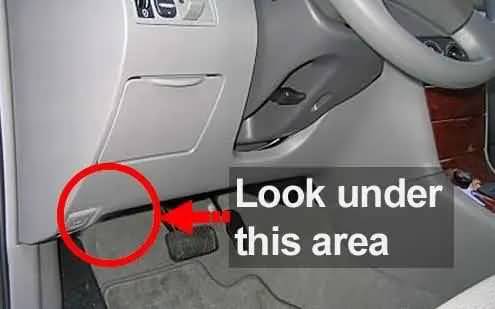
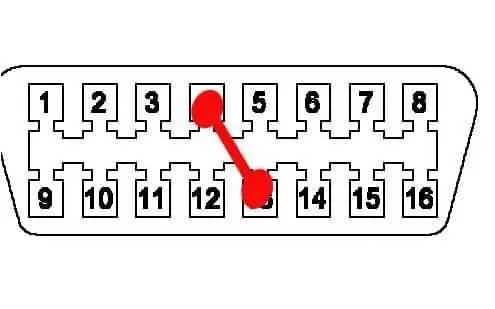
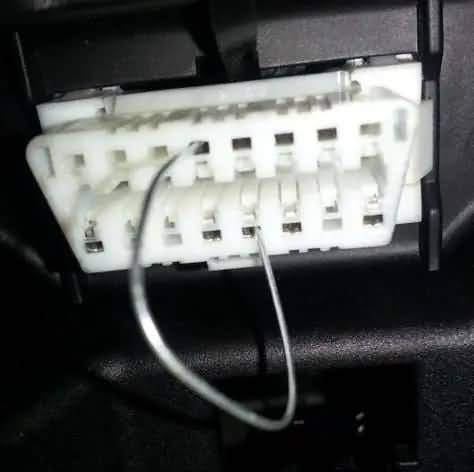
A) First, locate the diagnostic port. It is under the dashboard on the driver’s side, under the steering wheel, near the hood release lever. It is a dual-line 16-pin connector (8+8). See the illustrations below as a reference.
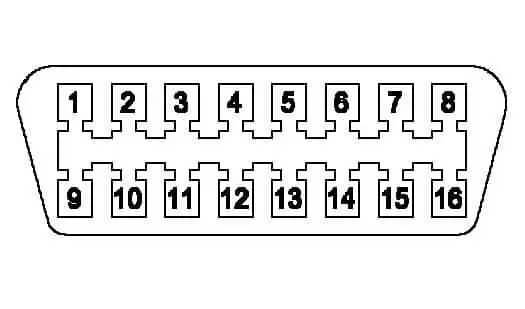
B) Now, with the engine off and the keys in the “off” position, jump connectors #4 and #13 of the diagnostic port by using a bare paper clip. Below are example illustrations.
C) Next, with the paper clip in place, turn the key all the way forward to the “on” position (ignition on) right before engaging the starter, and leave it there for 30 minutes.
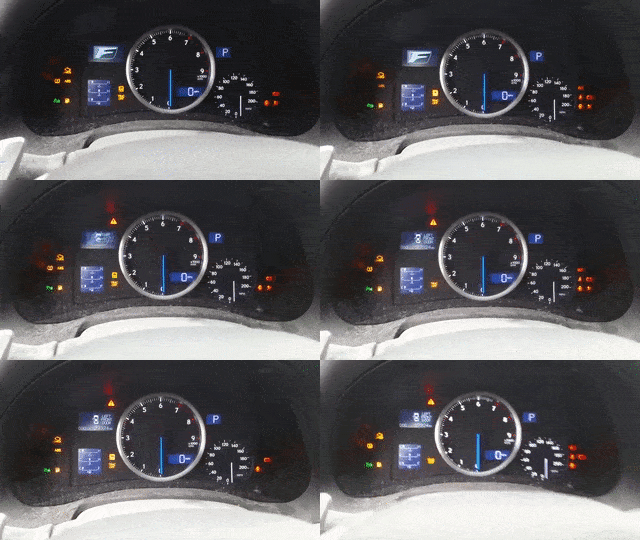
Different dashboard lights will start flashing. This indicates the process is going as expected. If the lights don’t flash, something isn’t working as expected, and you should start over. This can happen if the jumper connection is loose or if you connect the wrong OBD-II diagnostic port terminals. Before proceeding, make sure you are using connections #4 and #13 as instructed previously. Below is an animated GIF of what it should look like when it works correctly, so you can get the idea.
D) After 30 minutes, turn the key to the “off” position and remove the paper clip from the diagnostic port. After removing the paper clip, you may attempt to start the engine. It should start at this point if the ECM and everything else is good. If it does not start, you may send us your unit so we can program it.
The Alarm System
If the problem is that the starter motor isn’t running (not cranking), but all electrical systems seem to be right, and the battery is charged, try resetting any aftermarket alarm or anti-theft system, if any (not to be confused with the immobilizer system). The ECM, good or not, will not prevent the starter from engaging. The immobilizer system will disable injection and/or ignition, but not the starter. So if the engine isn’t cranking when you try to start the car, it’s usually not the ECM or the immobilizer system.
In most cases, any aftermarket alarm or anti-theft system needs to be reset if the car battery is disconnected for longer than a set time, usually minutes. In those cases, the aftermarket security system disables the starter.
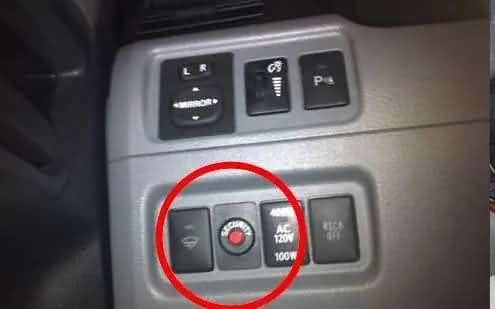
Some Corolla models have a security light that serves as an indicator and also acts as a button. Below is an example illustration:
In most cases, to reset the alarm, try arming and disarming it with the provided remote control (key fob). If that does not work, then try the following:
1 – Insert the key and turn it to the ON position, but do not start the engine.
2 – Push the red security button (picture above) twice.
3 – Now start the engine.