Toyota Immobilizer System Synchronization
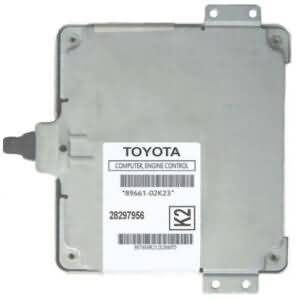
This article is for anyone who wants to replace the Engine Control Module (ECM, from now on) of their Toyota model with a used ECM, and the immobilizer system of the car (IMMO, from now on) is enabled.
Why would this be needed?
You purchased a replacement ECM, and it will not start the car unless it is programmed or the IMMO synchronized.
Who is this article NOT intended for:
-If you lost all your keys
-If your vehicle is not a Toyota/Lexus/Scion model
-If your Toyota model is earlier than 1998
-If your ECM is programmed for no-security (IMMO disabled)
-If your vehicle has no IMMO system
This information has been discussed in another article on this blog, but I wanted to make an article solely for that purpose, for customers who buy an ECM from us or from any other seller, and the ECM needs programming.
The Issue
Your Toyota ECM, for whatever reason, needs to be replaced, but since your car has the IMMO system enabled, the ECM you purchased needs to be programmed so the car starts with your actual keys (transponder keys).
You have two options here in this specific situation: (1) Bring the car with the replacement ECM to a locksmith, so he or she can program the ECM to your keys, or (2), you can try the IMMO synchronization process (sync process from now on) to adapt the IMMO system of the replacement ECM to the IMMO system of your car.
Different Situations
If you buy an ECM from us that is intended for a car with the IMMO system enabled, we will either, send it to you programmed in a way that it auto-adapts to your car’s IMMO system as soon as installed (plug and play), or, we will purpossedly program a generic IMMO code into your ECM before shipping it, so you can do the sync process to adapt it to your car.
You might be asking, Why is this? Why some ECMs can be sold as “plug and play” and others will need the sync process to be done. That is because some models have an external IMMOBOX (an ECM for the IMMO system, a.k.a. Transponder Key ECM), and the programming should be done in that box instead of the ECM.
To avoid the situation of a customer buying an ECM, and having to ship their car’s IMMOBOX in, so it can be programmed, and then both parts are sent back (double wait), plus the hassle of uninstalling and reinstalling two parts instead of one, we thought that a better solution was to put a generic IMMO code into the ECM and the customer can do the sync process himself or herself, which is a simple process and requires no special tools.
Remember that all this is done to avoid the need to call a locksmith ($$$) to be able to use your purchased ECM.
Requirements
Besides the tools you used to remove your ECM, for the sync process itself, you will need:
1. A working, registered master key: The master key is any key with a black plastic handle, as opposed to the valet key that has the grey plastic handle. It must be a key that is already registered

2. The battery of the vehicle must be 100% charged: Since the job will take at least 30 minutes with the car in the ignition-on position, but with the engine not running. A weak or not fully charged battery may go below the minimum voltage needed, and the process will need to be started all over.

NOTE: If you opt to connect a charger to your car battery to ensure a full battery capacity, it must be a low-electronic-noise charger. The power output from the common boost chargers is often not filtered. That distortion will prevent the process from being successful. In that case, you can use the boost charger to fully charge the battery, and when done, disconnect the charger and start the sync process.
3. A piece of solid wire cable, or even a paperclip.

The Process
1. Install the replacement ECM into the car.
2. Locate the OBD-II diagnostics port connector in your car. It is often located in the lower-left front panel, around the steering area. Sometimes it is behind a small compartment with a front lid. See the picture below for reference.

3. Once the connector is located, identify the terminals #4 and #13. The connector is a “D” shell type with 16 terminals (2 8-terminal lines), and you start counting the terminals at the wider area, from left to right on both lines. The order can be seen in the illustration below.

4. Once the terminals #4 and #13 are identified, remove any key from the ignition lock and connect (jump) both terminals by inserting the solid conductor wire or a paperclip. If using a bare conductor, like a paperclip, do not worry about shock hazards. There is absolutely no risk of an electrical shock because we are working here with computer logic-level signals of 5 volts. Also, the battery voltage is 12 volts, which is harmless to the touch.

5. Once you place the jumper, put the working key into the ignition cylinder and turn it all the way forward to the ignition “on” position, just before engaging the starter.

6. Now leave it like that for at least 30 minutes while the ECM is adapted to the IMMO system of your car. You can tell that it is happening when some lights in the dashboard start flashing randomly, like the example in the animated picture below. If that does not happen, then something is wrong with the connection of the jumper, and the programming is not taking place.

7. After 30 minutes, you can turn off the key and remove it, then also remove the jumper from the OBD-II port. When the jumper is removed, you can reinsert the key and start your car.
Troubleshooting
1. If your car did not start, and the lights did not blink when the jumper was in place with the igntion turned on, it indicates either a connection problem with the jumper, like the clip or wire used for the connection was not doing a good electrical contact with both terminals #4 and #13, or a problem with the port wiring itself, like a loose ground or similar.
2. Make sure that you are using the correct terminals and that they indeed are the terminals #4 and #13. Refer to the OBD-II port illustration elsewhere above in this page for corroboration of the terminals’ locations.
3. If the lights were blinking and the car did not start, try it again from zero, but this time allow a bit more than 30 minutes. Again, the battery voltage is very important for this to work. A low battery will not do the job.
If, after trying again, your car does not start, then you will need to consider the possibility that either the ECM is no good, or it is not compatible with your car, or your car has other issues that prevent it from starting, or it may have a secondary security system, like an aftermarket alarm system that needs to be reset.
This process is a simple, safe, and easy one, and it is integrated in almost all Toyota models from 1998 and later for the ease of adapting a used ECM when the immobilizer system is in place.